Starting is the hard part.
Nook gets you from “I should work” to working in about ten seconds. Say what you’re on, pick a length, and Nib, a small hand-drawn bear, takes it from there. On your own, or in a room with other people.
Free. Get the Windows app, or start in your browser. Sign in with Google, Discord, Slack, or just an email.
Focus.
Make room for one thing.

Be the first at the table today
Every focus app measures focus.None of them help you start.
Wanting to work was never the bottleneck. Pooled across 422 studies, what people intend to do explains only about 28 percent of the variation in what they actually do. The gap opens at the start line, and that is where people who signed up for Nook stalled too: not during a session, but before one ever began.
What reliably closes that gap is deciding the when and the how before the moment arrives, an effect measured across 94 separate tests. So Nook does the deciding. The length is already set from your own history, the next step you wrote down last time is already in the box, and starting costs one tap.
Everything else in this category meets you after focus has started, or after it has already failed. It measures it, blocks for it, scores it, rewards it. We build for the ten seconds before, because that is the part that actually breaks.
Sheeran, 2002, pooled across 422 studies. Gollwitzer and Sheeran, 2006, across 94 tests.
269 million
people enrolled in higher education worldwide, more than double twenty years ago
520 million
views in a single year of videos with “study with me” in the title, which are just people working in silence
UNESCO, Higher Education Global Trends Report, 2024 figures. YouTube, 2023.
How a session goes
1Most of it is already decided
The length is the one your own sessions say works for you, and the next step you wrote down last time is already in the box. Change either if you want. Nib reads what’s there and says one thing back.
2Start, and the screen goes quiet
The rest of it folds away. You get a ring and a Pause. In the desktop app it keeps going while you work in other windows. In a browser on a computer, leaving the tab pauses it and quietly notes that you wandered off.
3Hear it straight at the end
One plain line about how it actually went, a sentence from Nib, and somewhere to write what’s next. No confetti.
Nook isn’t a place you go to.
Start a session and go and work somewhere else. Nook shrinks to a small panel in the corner with Nib and your time left, and only once you’ve actually switched away.
It doesn’t treat switching windows as leaving. Moving between your editor, your notes and a browser tab is just work, and none of it interrupts the session.
If Nib has something to say while you’re in another app, it arrives as an ordinary notification. Nothing takes the screen away from you to tell you that you’re focusing.
Download for WindowsFor Windows 10 and 11. The Mac, iPhone and Android apps are being finished, and until yours is out, everything here also works in a browser.
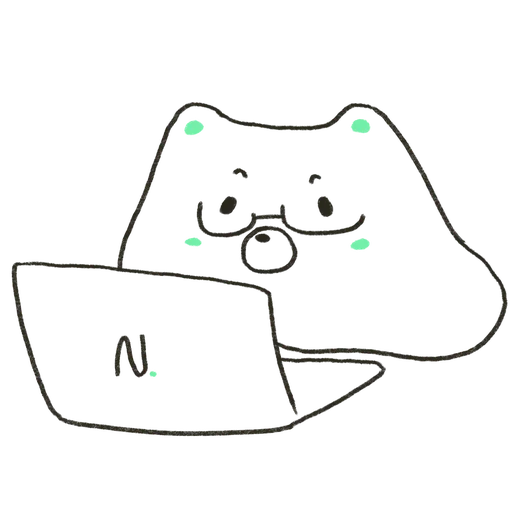
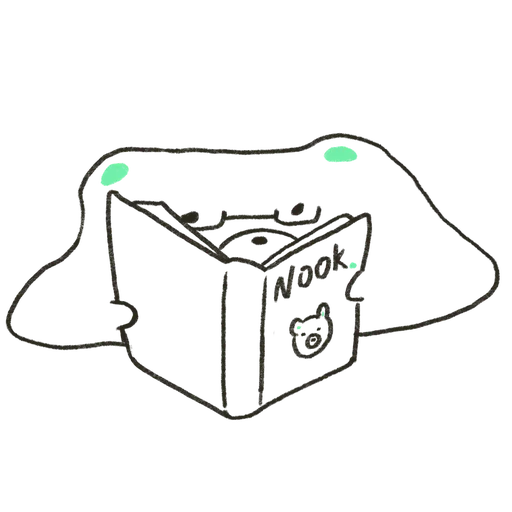
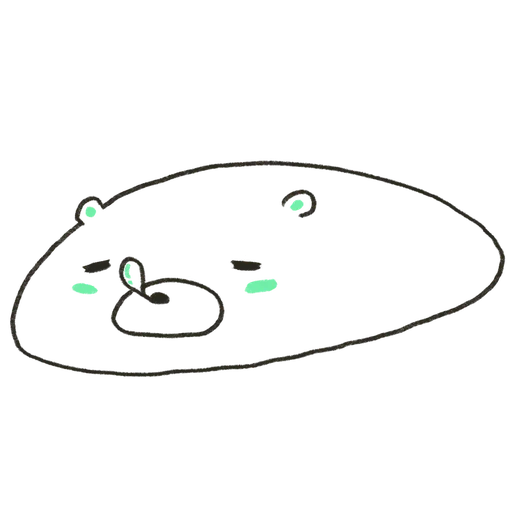
He mostly just sits there.
Nib’s hand-drawn, and he’s on screen the whole session. He changes pose as it goes: glasses on at the laptop, flat behind an open book, fast asleep on a break.
Twice every twenty minutes at most, he writes a short line, and then it clears itself. He won’t start a conversation with you.
Turn voice on and you can talk to him out loud. He talks back, and he can work the timer for you: give me fifty minutes on the essay add ten end it here
How often
Two lines every twenty minutes at most. Your device checks before he even gets to ask.
Voice
Off until you turn it on. What you say gets transcribed so he can answer, then it’s dropped.
His notebook
He asks before writing anything down. It’s all listed on your profile and you can delete any of it.
Focus is better with people in the room.
The lobby shows you which rooms have people in them right now. Walk into any public one. Nobody has to let you in.
Inside, you can see who’s there and whether they’re focusing, and there’s a chat and a timer of your own: 15, 25 or 50 minutes. Silent by default. Make a voice room instead and up to six people can actually talk.
Making your own takes one step. Public, or private with a six character code you send to one person.
This is the part that gets better as more people turn up. A timer is easy to copy. A room your people are already sitting in isn’t.
The counts are real, so an empty room says it’s empty. You can report a message or block someone, and blocked people stay gone.
No streaks.
Nothing to keep alive. No badges, no leaderboard, no rank. Your profile has a bar for each day, your total time, and a number for the week. Miss a week and nothing happens to you.
Where this goes.
The goal is one sentence, and it is the whole company: make starting effortless, wherever the work happens.
- Live now
Windows
Everything described on this page. The Windows app sits in the corner of your screen while you work somewhere else, and it costs nothing. Until the app for your machine is out, the same account works in a browser.
- Being built
Mac, iPhone and Android
The same sessions and the same rooms as an installed app on every machine you use, so where you started doesn’t decide where you can carry on. Not out yet. Until yours is ready, a browser is the way in.
- Planned
A room of your own, for a class or a team
A private space that meets on a schedule, for people who already study or work together, with a plain view of it for whoever runs the thing. Not built yet.
Nook is free for people, and that isn’t a trial running down. When a class, a club or a team wants a space of its own, whoever organises it pays for that, never the people studying inside it.
Plain answers
Does it cost anything?
No. There’s no card field anywhere in it, and nothing to cancel.
Do I have to install anything?
On Windows, yes: the app is what lets Nook sit in the corner while you work. On a Mac or a phone, Nook runs in a browser until its app is out.
Is there an iPhone or Android app?
Not yet. They’re being finished now, along with a Mac app. Until then, the phone browser is the way in.
What can other people see?
Your name, and whether you’re here or focusing. Nobody hears you unless you join a voice room on purpose, and there’s no camera in Nook at all.
What happens to what I tell Nib?
It’s transcribed so he can answer, then dropped. He only keeps notes if you say yes, and you can delete them from your profile. Your account too.